




Software development is entering a new era in which artificial intelligence is becoming an essential part of how applications are planned, built, tested, and maintained. Businesses are looking for ways to develop high-quality applications faster while reducing repetitive tasks and improving productivity. This shift has brought AI-Native Software Development Platforms into the spotlight as a […]
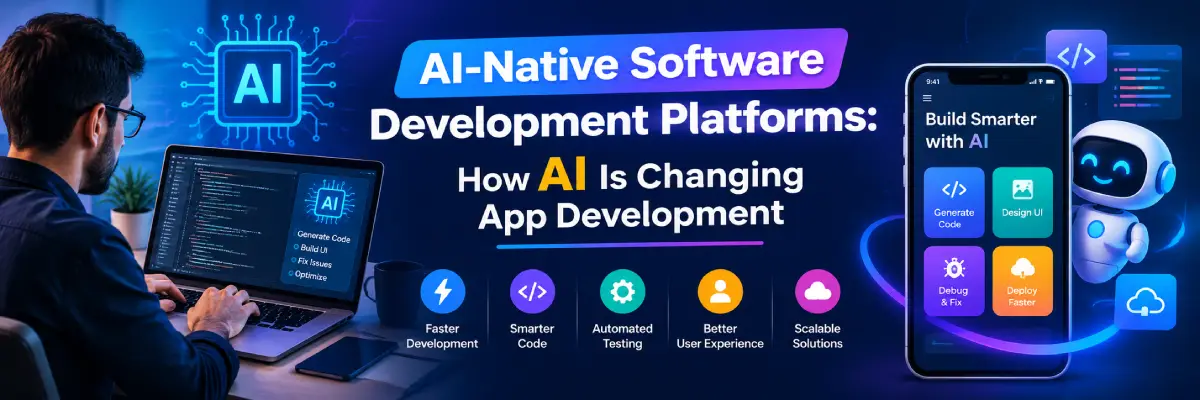
Software development is entering a new era in which artificial intelligence is becoming an essential part of how applications are planned, built, tested, and maintained. Businesses are looking for ways to develop high-quality applications faster while reducing repetitive tasks and improving productivity. This shift has brought AI-Native Software Development Platforms into the spotlight as a new approach to modern application engineering.
Unlike traditional development environments that primarily provide coding and debugging tools, AI-native platforms integrate artificial intelligence into multiple stages of the development lifecycle. They can help developers generate code, understand complex requirements, identify errors, automate testing, and improve software quality. These capabilities are changing how development teams work and how organizations turn ideas into digital products.
Understanding AI-Native Software Development Platforms is increasingly important for developers, startup founders, product managers, and business leaders. By learning how these platforms work, organizations can make informed decisions about adopting AI-powered development workflows without overlooking security, reliability, or human expertise.
What Are AI-Native Software Development Platforms?
AI-Native Software Development Platforms are development environments designed with artificial intelligence as a central capability rather than an additional feature. They use technologies such as machine learning, large language models, natural language processing, and automated reasoning to assist with different software engineering activities.
These platforms can support developers throughout the application lifecycle, from translating business requirements into technical plans to writing code and monitoring applications after deployment. Depending on the product, they may provide conversational interfaces, code-generation features, automated testing, workflow orchestration, and integrations with existing development tools.
How AI-Native Platforms Differ from Traditional Development Tools
Traditional integrated development environments help programmers write, organize, and debug code. Developers generally need to perform most engineering activities manually or connect separate tools to complete their workflows.
AI-native environments build intelligent assistance into these activities. For example, a developer might describe a feature in natural language and receive a suggested implementation, relevant test cases, and explanations of how the code fits into an existing project.
However, AI assistance does not eliminate the need for programming knowledge. Developers must still review generated code, verify business logic, evaluate performance, and ensure that applications meet technical and regulatory requirements.
Core Technologies Behind AI-Native Development
Several technologies make these platforms possible:
- Large language models: Interpret instructions, explain code, and generate programming solutions.
- Machine learning: Identifies patterns in data and supports predictions or recommendations.
- Natural language processing: Helps convert human instructions into structured technical requirements.
- Code analysis systems: Examine source code for potential errors, vulnerabilities, and quality issues.
- Automation engines: Execute repetitive workflows, tests, and development tasks.
- AI agents: In some platforms, coordinate multiple steps toward a defined goal, subject to available permissions and controls.
Together, these capabilities support more intelligent and connected software development workflows.
How AI Is Changing the App Development Process
AI-Native Software Development Platforms are changing the relationship between developers and development tools. Instead of relying exclusively on manual coding, teams can use AI to accelerate selected tasks while maintaining control over important technical decisions.
1. Faster Code Generation
One of the most visible applications of artificial intelligence in software development is code generation. Developers can describe a function, interface, or application requirement in natural language and receive a proposed implementation.
For example, a developer building an e-commerce application might request a product-search component with filtering, sorting, and pagination. An AI assistant can generate an initial version that the developer can then review, test, and adapt.
This approach can reduce time spent on repetitive programming tasks. However, generated code may contain incorrect assumptions, inefficient logic, or security weaknesses, so human review remains essential.
2. Converting Ideas into Working Prototypes
Startup founders and product managers often need to validate ideas before investing in complete application development. AI-powered app development tools can help turn product descriptions into early prototypes, interface concepts, and basic functional components.
This makes it easier to demonstrate ideas to stakeholders and collect feedback. Teams can identify usability problems earlier and refine requirements before committing significant resources.
Nevertheless, a working prototype should not automatically be treated as production-ready software. Authentication, data handling, accessibility, scalability, and operational reliability require additional attention.
3. Intelligent Debugging and Error Detection
Debugging can consume substantial development time, particularly in large applications with interconnected services. AI-assisted coding tools can analyze error messages, examine relevant code, and suggest possible explanations or fixes.
For example, an AI assistant may identify a likely cause of an API integration failure by examining a stack trace and the surrounding implementation. Developers can use these suggestions to investigate the problem more efficiently.
The quality of the result depends on the available context and the model’s capabilities. Suggested fixes should be tested carefully because resolving one error can introduce another.
4. Improved Collaboration Between Teams
Development projects frequently involve programmers, designers, testers, product managers, and business stakeholders. Misunderstandings between these groups can delay delivery and create unnecessary rework.
AI-native workflows can help summarize technical discussions, explain implementation details, organize requirements, and generate documentation. These capabilities make complex information more accessible to people with different levels of technical knowledge.
They can also help teams maintain a shared understanding of project objectives. Human communication and clear ownership remain important, especially when requirements change or technical trade-offs need discussion.
Key Features of AI-Native Software Development Platforms
Not every platform provides the same capabilities. Businesses should evaluate the features that match their development workflows, technology stack, and operational requirements.
Natural Language-to-Code Development
Natural language interfaces allow developers to explain what they want to build without manually writing every initial line of code. The platform may suggest functions, components, database queries, or configuration files.
This capability is useful for routine tasks and early implementation. Developers still need to ensure that generated solutions follow project conventions and meet functional requirements.
Context-Aware Coding Assistance
Context-aware tools can use information from open files, repositories, documentation, and project structures to provide more relevant suggestions. This is generally more useful than generating code without understanding the surrounding application.
Some systems can explain unfamiliar code, recommend refactoring approaches, and help developers navigate large projects. Access to relevant context must be balanced with privacy and access-control requirements.
Automated Testing and Quality Assurance
AI can assist with generating unit tests, suggesting edge cases, analyzing failures, and identifying areas that require additional test coverage. These capabilities can help development teams detect defects earlier.
However, automated test generation does not guarantee that an application is correct. Teams should combine AI-generated tests with established testing strategies, including integration tests, regression tests, performance checks, and manual verification where appropriate.
Documentation and Knowledge Management
Maintaining documentation is often difficult when teams work under tight deadlines. AI tools can draft explanations of functions, summarize code changes, and help update technical documentation.
Developers should verify these outputs against the actual implementation. Outdated or inaccurate documentation can create confusion and lead to costly mistakes.
Workflow Automation and Integration
Modern development involves more than writing code. Teams manage issue tracking, version control, continuous integration, deployment pipelines, security checks, and production monitoring.
Some AI software development tools connect these activities into a more coordinated workflow. When properly configured, they can reduce repetitive administrative work and help teams identify bottlenecks.
Benefits of AI-Native Software Development Platforms
Organizations adopt AI-native development to improve productivity, support experimentation, and make engineering resources more effective. The results depend on implementation quality, team experience, and the complexity of the application.
Higher Developer Productivity
AI can handle portions of repetitive work, such as generating boilerplate code, creating basic tests, and drafting documentation. Developers can then devote more time to system design, complex problem-solving, and product improvements.
Productivity gains are not automatic. Reviewing generated code, correcting inaccurate suggestions, and managing AI-generated changes can also require time.
Shorter Development Cycles
By accelerating prototyping, code generation, and selected testing activities, AI-driven application development can help teams move from requirements to working software more quickly.
This can be particularly useful when organizations need to test multiple product ideas or respond to changing customer needs. Faster implementation should still be supported by proper reviews and release controls.
Greater Accessibility for New Developers
AI assistants can explain unfamiliar programming concepts, suggest implementation patterns, and help beginners understand error messages. This creates additional learning opportunities for people entering software development.
However, relying entirely on generated solutions can weaken fundamental programming skills. New developers should use AI explanations to understand the reasoning behind a solution rather than simply copying the output.
More Efficient Resource Allocation
Smaller teams often operate with limited budgets and competing priorities. AI can reduce the time required for certain routine tasks, allowing available engineering resources to focus on higher-value activities.
Businesses should evaluate these gains against subscription fees, infrastructure costs, training requirements, and the effort needed to integrate new tools.
Better Support for Experimentation
AI-assisted prototyping can help teams explore different interface designs, application features, and implementation approaches. Product managers can compare alternatives before deciding which direction deserves further investment.
This supports experimentation without requiring every early idea to become a complete software project.
Popular Types of AI Software Development Tools
The market includes several categories of tools, each designed to address different development needs. Understanding these categories helps organizations select appropriate solutions.
AI Coding Assistants
AI coding assistants provide suggestions while developers write code. Depending on the product, they may support code completion, conversational debugging, refactoring, and explanations of existing implementations.
These tools are especially useful when developers want to remain in control of the coding process while receiving intelligent assistance.
AI-Powered Application Builders
AI app development platforms can help users create interfaces, generate application components, connect services, and build prototypes through prompts or visual workflows.
Their capabilities vary considerably. Some focus on web interfaces, while others support broader application development or specific business workflows.
AI Testing and Code Review Tools
These solutions assist with test generation, defect detection, code-quality analysis, and pull-request reviews. They can help reviewers focus on potentially risky changes and repetitive issues.
They should supplement, rather than replace, established quality-assurance procedures.
AI Agents for Software Engineering
Some advanced platforms support AI agents that can perform multiple related tasks, such as examining an issue, proposing code changes, running tests, and preparing a draft pull request.
Agent capabilities and autonomy vary by platform. Teams should establish appropriate permissions, approval checkpoints, audit trails, and rollback procedures before allowing agents to modify important systems.
How to Choose the Right AI-Native Software Development Platform
Selecting a platform requires more than comparing feature lists. Businesses should consider the type of software they build, the experience of their developers, and their existing engineering infrastructure.
Evaluate Technical Compatibility
Check whether the platform supports your programming languages, frameworks, repositories, cloud services, and development environments. Compatibility can determine whether adoption is straightforward or requires substantial workflow changes.
Also consider whether the tool can work with existing version-control and continuous-integration systems.
Review Security and Privacy Controls
AI development tools may process proprietary code, internal documentation, or customer-related information. Organizations should understand what data is collected, how it is stored, whether it is used for model training, and which retention controls are available.
Look for access permissions, encryption, audit logs, enterprise administration, and clear data-processing terms. Avoid submitting secrets, credentials, or confidential information to tools that have not been approved for that purpose.
Compare Pricing and Total Cost
Pricing models may include subscriptions, usage-based fees, enterprise contracts, or charges for additional AI requests. Organizations should estimate total costs rather than focusing only on the advertised starting price.
Include implementation, training, integration, monitoring, and human review in the evaluation. A less expensive tool may not be the best option if it creates significant additional work.
Test with a Real Project
Before adopting a platform across the organization, run a pilot using representative development tasks. Evaluate code quality, security findings, time saved, developer satisfaction, and the amount of review required.
Compare the results with your existing workflow. This provides a more reliable basis for decisions than relying solely on marketing claims.
Challenges and Limitations of AI-Native Development
Although AI-Native Software Development Platforms provide valuable capabilities, they also introduce technical and organizational challenges. Understanding these limitations helps businesses adopt AI responsibly.
Inaccurate or Insecure Code
AI-generated code can contain logic errors, outdated recommendations, dependency problems, or insecure implementations. A solution may appear convincing while failing under realistic conditions.
Developers should use code review, automated security scanning, testing, and dependency management to reduce these risks.
Data Privacy and Intellectual Property
Sending source code to external AI services can create confidentiality and intellectual-property concerns. Organizations must understand contractual terms, licensing implications, and applicable data-protection obligations.
Clear internal policies can define which information may be shared, which tools are approved, and who is responsible for reviewing AI-generated contributions.
Overdependence on Automation
Excessive reliance on AI can make teams less confident when diagnosing unfamiliar problems or designing complex systems. It can also encourage developers to accept recommendations without fully understanding their consequences.
Organizations should encourage engineers to verify AI output, maintain core programming skills, and document important architectural decisions.
Integration and Governance Difficulties
Introducing new AI tools into an established engineering environment may require changes to access permissions, workflows, compliance processes, and team responsibilities.
A gradual rollout, supported by training and clear governance, can help organizations manage these changes without disrupting essential operations.
The Role of AI in Enterprise and Startup Development
The benefits of AI-native development differ according to organizational size, technical maturity, and product requirements.
Opportunities for Startups
Startups can use AI to create prototypes, validate product concepts, and accelerate routine engineering tasks. These capabilities may help small teams explore ideas while operating with limited resources.
However, founders should avoid assuming that a generated application is secure, scalable, or ready for commercial use. Production systems still require architecture decisions, testing, monitoring, and maintenance.
Opportunities for Large Enterprises
Enterprises may use AI to support large repositories, modernize legacy applications, improve documentation, and automate selected engineering workflows. Standardized processes and centralized governance can help teams adopt these tools consistently.
At the same time, enterprise adoption requires careful consideration of data access, regulatory requirements, auditability, and integration with existing systems.
Supporting Low-Code and No-Code Development
AI can make low-code and no-code environments easier to use by translating natural language into workflows, interface components, and application logic. This can help business teams create internal tools with less direct programming.
Complex systems still require appropriate technical oversight, especially when applications handle sensitive data or support essential business operations.
Best Practices for Using AI in Software Development
To obtain practical benefits from AI, organizations should introduce it with clear goals and measurable standards.
- Define specific use cases: Start with tasks such as documentation, boilerplate code, test generation, or debugging assistance.
- Keep developers accountable: Assign qualified people to review code and approve significant changes.
- Protect sensitive information: Establish policies for source code, credentials, customer data, and external AI services.
- Maintain automated testing: Use unit, integration, regression, and security tests where appropriate.
- Measure real outcomes: Track defect rates, delivery time, review effort, and developer experience.
- Train teams continuously: Teach developers how to write effective prompts, evaluate suggestions, and identify common AI errors.
- Introduce automation gradually: Begin with low-risk workflows before considering greater agent autonomy.
- Review results regularly: Update policies and workflows as tools, risks, and organizational needs evolve.
These practices help ensure that AI supports sound engineering rather than simply increasing the volume of generated code.
The Future of App Development with AI
The future of app development with AI is likely to involve more connected workflows, stronger contextual understanding, and increasingly capable development agents. Instead of assisting with isolated tasks, future systems may coordinate planning, implementation, testing, documentation, and deployment under defined human supervision.
AI-Native Software Development Platforms are positioned to play an important role in this transition by bringing intelligent capabilities closer to everyday engineering work. However, the extent of automation will depend on technical reliability, cost, governance, and the consequences of errors in each application.
Human expertise will remain essential for architectural decisions, product strategy, user experience, ethical considerations, and accountability. The most effective development teams will combine AI capabilities with sound engineering judgment rather than treating automation as a replacement for professional skills.
As the technology matures, organizations should focus on building secure, maintainable, and useful applications instead of adopting AI merely because it is available. A thoughtful approach can help businesses capture productivity benefits while protecting software quality and user trust.
Conclusion
AI-Native Software Development Platforms are changing how developers plan, build, test, and maintain applications. By supporting code generation, intelligent debugging, automated testing, documentation, and workflow coordination, these platforms can reduce repetitive work and help teams concentrate on more demanding engineering challenges.
Their success depends on choosing appropriate tools, maintaining security controls, and validating AI-generated results. Businesses should evaluate platforms through practical pilots, measurable outcomes, and clear governance policies.
Ultimately, AI is most valuable when it strengthens human expertise. Organizations that combine intelligent automation with experienced developers, reliable testing, and responsible decision-making will be better prepared to build effective software for an increasingly AI-driven world.
Frequently Asked Questions (FAQs)
Q1. What are AI-Native Software Development Platforms?
AI-Native Software Development Platforms are development environments that integrate artificial intelligence into activities such as coding, testing, debugging, documentation, and workflow automation. They help developers complete selected tasks more efficiently while retaining control over important engineering decisions.
Q2. How do AI-native platforms improve app development?
They can generate code suggestions, assist with debugging, create test cases, summarize documentation, and automate repetitive tasks. These features may shorten development cycles, although the actual improvement depends on project complexity and the quality of human review.
Q3. Are AI-native development platforms suitable for beginners?
Yes, many platforms can explain code, suggest solutions, and help beginners understand programming concepts. However, beginners should learn fundamental programming skills and verify generated code rather than relying on AI without understanding the output.
Q4. Are AI-generated applications secure and reliable?
Not automatically. AI-generated applications may contain bugs, insecure code, or incorrect assumptions. Developers should conduct code reviews, testing, security assessments, and performance checks before releasing applications into production.
Q5. What should businesses consider before adopting AI-native development tools?
Businesses should evaluate technical compatibility, security and privacy controls, pricing, integration requirements, code quality, and developer training. Testing a platform on a real project can help determine whether it provides measurable benefits without introducing unacceptable risks.